
Pokémon Fusion: Guide to Infinite Fusion, Tools, and Community
Pokemon Fusion

| Pokemon1/Pokemon2 | Pokemon2/Pokemon1 |
|---|---|
mon1/mon2

HP:
ATK:
DEF:
SPE.ATK:
SPE.DEF:
SPEED:
TOTAL:
ABILITY:
x4:
x2:
x1:
x0.5:
x0.25:
x0:
|
mon2/mon1
HP:
ATK:
DEF:
SPE.ATK:
SPE.DEF:
SPEED:
TOTAL:
ABILITY:
x4:
x2:
x1:
x0.5:
x0.25:
x0:
|
You can create entirely new Pokémon by combining two existing ones—mixing sprites, stats, types, and abilities to see what surprising results emerge. Pokémon fusion lets you experiment with endless combinations, whether you want goofy mash-ups, competitive hybrids, or fresh fan-made designs.
This article walks through what fusion actually means, how fangames like Infinite Pokemon Fusion and online calculators let you preview and tweak combos, and where to find tools, custom sprites, and community hubs that keep new creations coming. Dive in to learn how fusion works, which tools make it easy, and how artists and players shape this vibrant, collaborative scene.
What Is Pokémon Fusion?
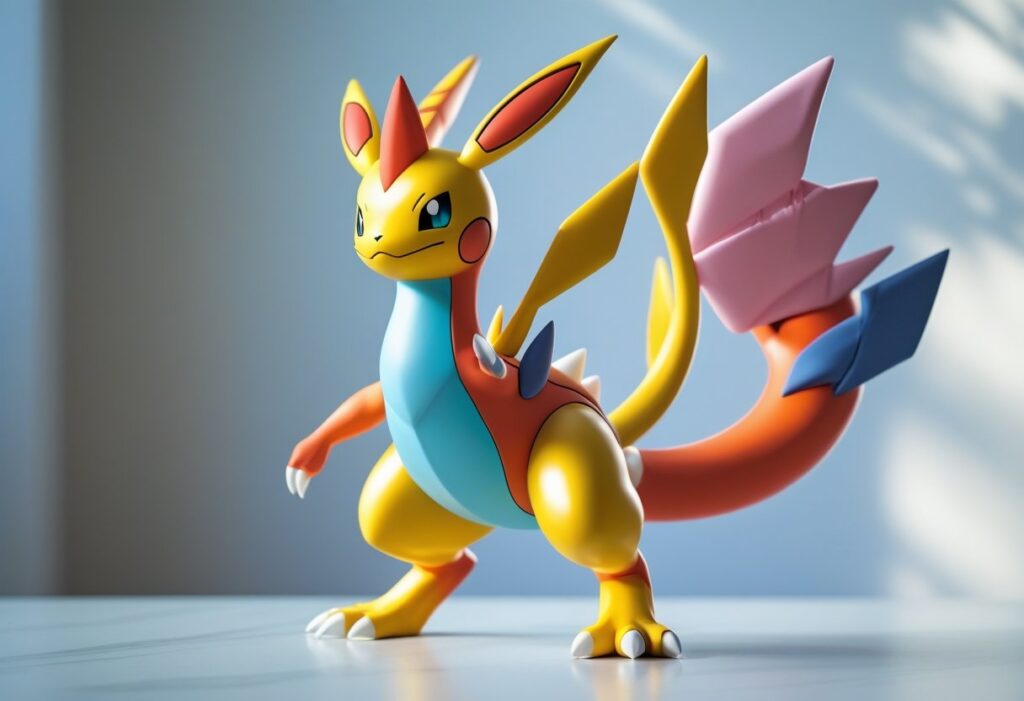
Pokémon fusion blends attributes, visuals, and mechanics from two or more Pokémon fusion into a single creature. You’ll find the idea expressed as fan-made sprite mashups, mechanics in unofficial games, and occasional official form-changes in the franchise.
Core Concept and Popularity
Pokémon fusion combines parts—typically a head and body, movesets, or stat influences—from multiple Pokémon to create a new hybrid. You’ll see fused sprites, new type combinations, and mixed base stats in fan projects like Pokémon Infinite Fusion and FusionDex, where creators treat fusions as fully playable Pokémon with unique Pokédex entries and movesets.
The concept appeals because it expands design possibilities and competitive variety. Fans compare fused typings and abilities, produce tier lists, and trade fusion sprites. Creative tools such as fusion generators and sprite editors accelerated popularity by making thousands of combinations accessible, which in turn created online communities centered on sprite contribution and balance discussion.
Origins and Evolution in Fan Communities
Fusion began as informal sprite edits on message boards and image-sharing sites, then grew into structured projects and standalone fan games. You’ll find early examples in forum threads and the popular Pokémon Fusion Generator, which inspired larger initiatives like Pokémon Fusion Generator RPGs and Infinite Fusion.
Community-run repositories like FusionDex catalog combinations and credit artists, while wikis and Discord servers coordinate balance patches and new features. Fan developers introduced mechanics such as fused movepools, composite stats, and fusion-specific evolution rules. Those mechanics vary by project, so you’ll need to check each game’s documentation for exact rules and compatibility.
Official Stance by Nintendo and The Pokémon Company
Nintendo, Game Freak, and The Pokémon Company generally treat fusion as fan content rather than official canon. You’ll see limited official analogs—examples include Kyurem fusing with Reshiram or Zekrom, Necrozma merging with Solgaleo or Lunala, and Meltan/Melmetal’s group-evolution concept—yet these are implemented as specific form-changes with controlled lore and gameplay effects.
The companies typically do not endorse third-party fan games that use their assets or trademarks, and they have issued takedowns when intellectual property is used without permission. You should assume official support is limited to canonical form-fusion mechanics created by Game Freak, with most creative fusion activity remaining community-driven.
Overview of Pokémon Infinite Fusion
Pokémon Infinite Fusion lets you merge two Pokémon fusion into a single, playable creature while exploring expanded versions of classic regions. You’ll manage fused sprites, custom movesets, and a large community of contributed artwork.
Unique Features and Gameplay
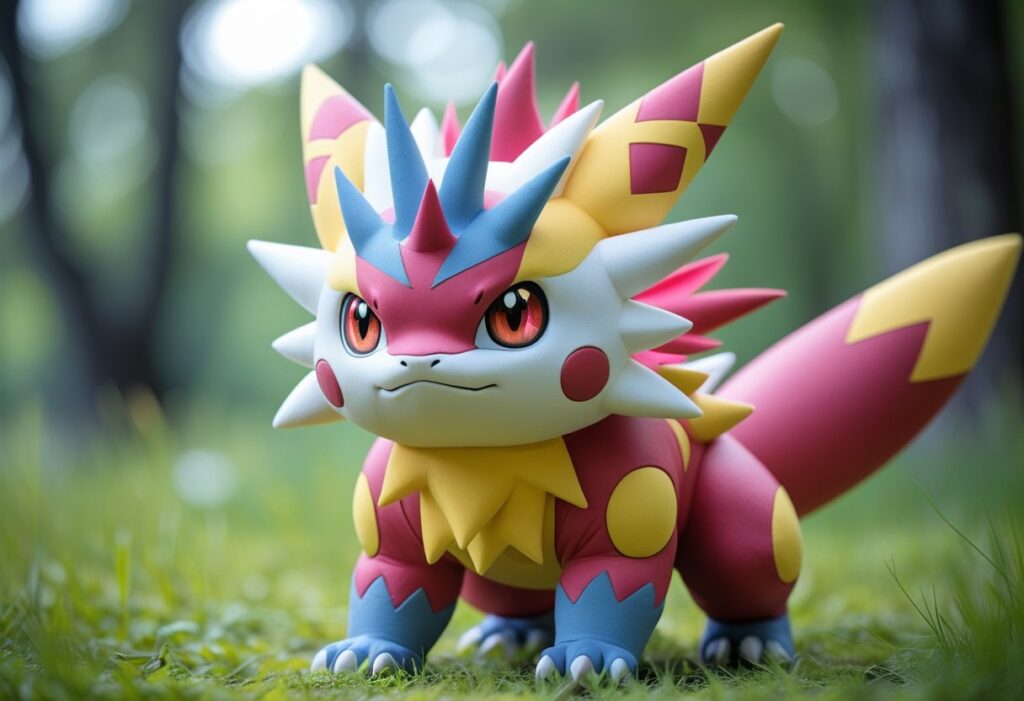
Pokémon Infinite Fusion is a fan-made game that centers on combining any two Pokémon to produce new species with blended sprites, types, and stats. Fusions inherit visual elements from both bases; one Pokémon supplies the primary sprite while the other contributes body parts, colors, or patterns depending on the chosen fusion direction. You control which Pokémon fusion appears as the base and which acts as the overlay, affecting both appearance and some battle attributes.
The game includes traditional mechanics—levels, moves, items—alongside fusion-specific effects such as combined abilities and move pools. You’ll encounter over 200,000 possible combinations in practice, supported by community-made sprites and an in-game Fusion Dex that documents results. The project updates through Discord and fan hubs rather than a formal corporate site.
Starter Selection and Regions
You begin in a familiar Kanto-style setting with options that echo classic starter choices. The game offers starter selection similar to mainline Pokémon: typically a grass, fire, and water option, but you can fuse starters with other Pokémon later to create hybrid early-team members. Some versions and mods include Johto starters and additional choices, expanding your initial roster.
Map design covers Kanto and Johto regions, plus post-game areas such as the Fevii Islands (in certain builds) and community content maps. You’ll find gym-like challenges and badges, NPC trainers, and legendaries positioned in both canonical and fan-created locations. Downloaded forks or Schrroms-style mods may add more regions or alter starter availability, so check release notes before playing.
Fusion System and Mechanics
The fusion system works through an in-game tool that combines species, types, stats, abilities, and sprites according to deterministic rules. You choose two Pokémon and a fusion direction; the base determines primary anatomy while the secondary influences secondary features and typing. HP and some stat calculations come from blended formulas, and move inheritance follows rules that consider level, learnset overlaps, and move compatibility.
Abilities can transfer or change based on a priority list; some fusions gain unique strategic synergies. Movesets may require TM/HM re-learning or breeding equivalents, and certain type combinations create unexpected resistances or weaknesses. You’ll manage saves and sprite packs—community sprite updates frequently add visual variants, so keep your install and Discord sources current.
Fusion Tools and Resources
These tools help you design, analyze, and view Pokémon fusions with precise stats, searchable databases, and sprite galleries. You can calculate merged base stats, filter by type or ability, and browse community-made sprites for inspiration or in-game use.
Infinite Fusion Calculator
The Infinite Fusion Calculator computes a fusion’s base stats, types, and abilities from two parent Pokémon. You select head and body, and the tool outputs HP, Attack, Defense, Sp. Atk, Sp. Def, and Speed using the project’s fusion formulas so you can compare builds quickly.
It also lists weaknesses and resistances derived from the fused typing. Use the calculator to test niche combinations before committing to sprite edits or team slots. Note that some community-hosted versions may not display custom sprites; rely on the data fields if visuals are missing.
Key actions:
- Input head + body to get full stat breakdown.
- Review resulting abilities and type chart.
- Export or copy stats for team planning or Showdown import.
Popular Fusion Generators
Fusion generators produce fused sprites and often attach names, types, and basic stats to the image. Some generate blends automatically from original Pokémon art, while others let you pick specific parts or randomize results.
You’ll find generators that include Gen 1–9 coverage, AI-assisted sprite creation, or large libraries of custom sprites. Check whether a generator shows official-looking Pokémon images or community-made art; licensing and reuse rules vary. Use generators mainly for visual prototyping and for creating reference images to guide spriters.
Common features:
- Random fusion creation and manual selection.
- Exportable images and generated names.
- Integration with community sprite libraries for alternatives.
Using the FusionDex
FusionDex functions as a sprite gallery and fusion index. You can view all known fusions for a given Pokémon in a grid, toggle alternate sprite variants, and click an artist to see other works they created. FusionDex entries typically include stats, abilities, and Pokédex-like descriptions tied to each fusion.
Use FusionDex when you need visual references, artist attribution, or downloadable sprites for in-game Pokédex use. The site’s filters let you narrow results by artist, type, or popularity, which helps you find sprites that match your aesthetic or mechanical goals. Make sure to respect artist credits and download policies when using images.
Custom Sprites and Pokémon Artistry
Custom sprites replace default game art with hand-made images, improving scale, color, and detail for fused Pokémon. Community tools, shared palettes, and sprite packs make high-quality sprites accessible and easy to install.
How Custom Sprites Are Made
You start by selecting two base Pokémon fusion images at the correct source — typically official Pokémon images rather than in-game assets — so colors and proportions remain accurate. You work on a 96×96 canvas and export at 288×288 to match Infinite Fusion’s requirements, avoiding half-pixels by preserving exact 3× scaling.
Common tools include Piskel, Paint.NET, GIMP, Aseprite, and Krita; each supports PNG export and nearest-neighbor scaling. You usually pick one Pokémon as head and one as body, recolor the base using the head’s palette, then copy, resize, and polish parts so lines and shading match the Pokémon Black & White style. Keep palettes limited (about 4 shades per color) and lightsource consistent (top-left). Save as PNG and test in the game’s CustomBattlers/Sprites folder or through the game’s auto-downloader.
Notable Community Artists
You’ll find thousands of contributors across the Infinite Fusion community, with several prolific artists providing large numbers of polished sprites. Many artists use Discord channels such as #sprite-gallery and #spritework to share, critique, and refine work before official inclusion.
Roles like “Spriter” and sprite managers moderate quality and accept submissions into monthly sprite packs. FusionDex and sprite-pack indexes list artist credits for specific sprites, so you can track creators you like. If you want recognition, post three practice sprites for feedback and then apply for the Spriter role in the Discord application workflow.
Sharing and Finding Unique Fusions
You can access sprite packs via the game’s auto-downloader, or manually install packs into InfiniteFusion/Graphics/CustomBattlers/Sprites. Official and community “Full” packs are posted monthly on the Discord #downloads channel and on aggregator sites such as FusionDex for browsing.
Use the Pokédex in-game or FusionDex online to preview available fusion combinations and associated custom sprites. For discovery, follow sprite galleries, artist pages, and Discord search. When sharing, include source references and follow community spriting guidelines; don’t use others’ art without permission.
In-Game Fusion Mechanics
Fusion combines two specific Pokémon bodies and heads, producing a single creature that inherits moves, types, and averaged statistics. You control which Pokémon provides the head and which provides the body, and that choice affects visual design, primary moveset tendencies, and some stat calculations.
Using DNA Splicers
DNA Splicers act as the in-game tool you use to create fusions. You bring two Pokémon to the splicer interface, pick which will supply the head and which will supply the body, and confirm the fusion. The process consumes the item (or triggers the machine) and immediately produces the fused Pokémon in your party.
Some fusions require special conditions: certain species or post-game machines allow triple fusions or self-fusion variants. If you fuse two identical species, expect a “self-fusion” outcome that often enhances base forms rather than creating an entirely different concept. Keep a spare DNA Splicer or check machine availability before attempting rare combinations.
Visuals and custom sprites matter: community-made sprites may override the auto-generated head+body composite, so the same pair can look different depending on available assets. That does not change the mechanical outcome—only the appearance and possibly the displayed sprite sheet for animations.
Base Stats and Typings
Base stats of a fusion derive primarily from the parent Pokémon, usually by averaging corresponding stats and then applying modifiers for head/body roles. For example, if Charizard provides the head and Blastoise the body, the resulting HP, Attack, Defense, Sp. Atk, Sp. Def, and Speed will reflect a calculated blend of both sets of base values.
Typing typically combines the parents’ types. A Pikachu fused with Charizard might result in Electric/Fire or Fire/Electric depending on rules; the order can matter for weaknesses and STAB interactions. Some systems apply secondary rules (type precedence, single-type overrides, or special-case immunities) so check the fusion calculator before committing.
Hidden or special stats—such as ability inheritance, held-item effects, or unique form multipliers—can further alter effective performance. You should test key fusions in battle to confirm how the averaged numbers perform in practice.
Influence of Parent Pokémon
Which parent supplies the head vs. the body matters beyond visuals. The head commonly determines primary move pool tendencies and ability selection, while the body often influences bulk, base HP, and defensive animations. If you want a fusion that plays like Charizard but with heavier defenses, use Charizard as the head and Blastoise as the body.
Certain parent traits grant bonuses. A trainer’s favorite-type bonus can raise Bond or other affinity metrics for fused results. Also, some species contribute unique passive effects when present in a fusion—abilities may carry over or be modified (for instance, a Pikachu head may preserve Electric-type signature moves).
Plan fusions around role goals: choose the parent whose head gives the moveset you need and the body that supplies the defensive or HP profile you want. Use a fusion calculator or Fusiondex to preview how Charizard, Pikachu, or Blastoise combinations will divide stats and types before spending rare DNA Splicers.
Community Engagement and Online Presence
You’ll find active groups that organize fusion challenges, sprite exchanges, and coordinated updates. Participation focuses on hands-on contributions like sprite uploads, playtesting fan-made game builds, and running themed events.
Fan Communities and Discord
Discord servers act as the main hubs where you connect with other fusers, get help, and join project channels dedicated to specific tasks. Look for channels named things like #sprite-submissions, #bug-reports, #fusion-challenges, and #dev-updates; they let you submit files, track issues for fan-made game builds, and coordinate community votes.
Servers often host pinned resources: rules, sprite sheets, and mod/patch downloads for fan-made games. You can join voice or tournament channels for live battles, or use role assignments to access beta testing and contributor-only areas.
Contributing Art and Sprites
If you create custom sprites, prepare files in the community’s preferred formats (usually PNG, 32×32 or 64×64 sheets) and include a changelog or attribution. Communities expect consistent naming conventions and transparent licensing notes so your art can be integrated into sprite packs or the fan-made game’s assets without confusion.
Popular contributions include complete fusion sheets, palette-locked recolors, and layered PSD/ASEPRJ files for future edits. You’ll get feedback through sprite review threads and collaborative spriteathons that speed up asset creation for public releases.
Events and Updates
Community events range from weekly fusion prompts to larger seasonal contests that reward visibility and feature placement in mod packs. Developers of fan-made games post update notes in Discord and forum threads; you should follow those channels to download patches and test new mechanics as soon as they drop.
Organizers announce roadmaps and release candidates so you can plan participation in playtests. Regular update practices include versioned builds, patch notes highlighting sprite or balance changes, and dedicated threads for regression reports to keep the project stable.